Start with a question
“What does a rate cut mean for regional banks?” is better than “what should I buy?”
Published by Capacitr, Inc., maker of the Capacitr app, which appears in this guide.
Using AI for investing · by Capacitr
AI is very good at reading fast and summarizing. It is not good at knowing the future. The best way to use it is as a research partner that does the reading while you make the call. This guide walks through a five-step workflow and the apps that help at each step.
Free on iOS 16.4+, Android and the web. Not financial advice. Trading involves risk of loss.
Updated November 7, 2026
Set expectations
A five-step workflow
“What does a rate cut mean for regional banks?” is better than “what should I buy?”
Make the AI cite the articles or filings it used, and open at least one.
Have it argue against the idea. If the counterargument is stronger, stop.
Decide the most you are willing to lose before you place anything.
Use an app that waits for your approval, and write down why you made the trade.
Tools for each step
Which step each app is strongest at, based on its own published features. Checked November 7, 2026.
| App | How AI is used | Who places the trade | Access |
|---|---|---|---|
| Capacitr Our app | News-to-trade assistant: matches breaking posts and articles to the markets they move, writes a thesis with sources and can fill in a ticket. | Nothing is placed until you confirm each trade. | Public download. |
| Supertake | Turns a plain-English investing thesis (a “take”) into a portfolio. Takes can be shared and forked. | “Ask me first” by default: you approve each trade instruction. Optional Autopilot mode trades within limits you set. | Invite-only waitlist. |
| Catalyst | Autonomous agents turn a plain-English strategy into a workflow that watches signals and trades. | Agents can sign trades under permissions you delegate. Per-trade approval is optional, per its terms. | Waitlist. |
| tastytrade | No built-in agent. An official MCP server lets an AI assistant you bring (such as Claude) read your account and send orders. | Orders sent through MCP show a preview and need confirmation; tastytrade notes the same AI can confirm, and some actions skip it. | Open to US residents and select countries. |
| Autopilot | Mainly copy-trading portfolios (“Pilots”) that track experts, 13F filings and politicians, plus AI portfolios. | Automatic: trades are mirrored into your brokerage. Filing-based copies lag the original trades. | US App Store. |
| Button (Tailor) | AI research assistant that analyzes your portfolio and data, runs scheduled briefs and risk scans, and drafts trades. | Drafts trades; nothing is placed until you slide to confirm. | Waitlist. |
About our app
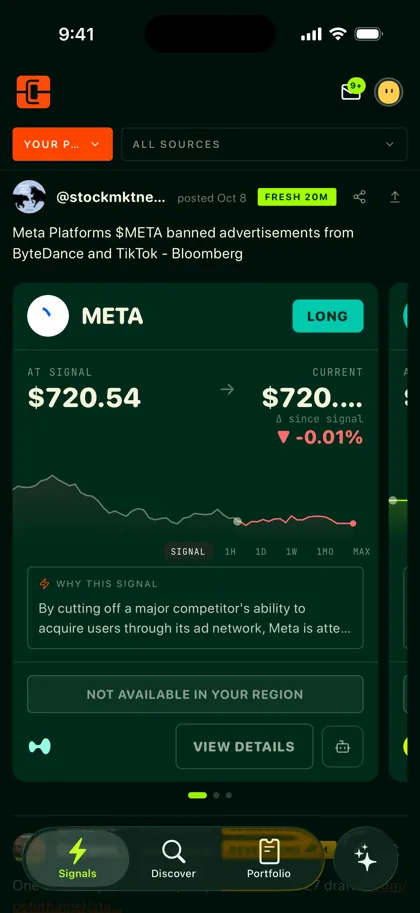
Capacitr, our app, covers steps 1, 2 and 5: it reads the news, shows the sources behind each idea and waits for your confirmation. Based on its App Store listing and support page.
Capacitr is not an exchange, does not hold your funds and is never the counterparty to your trades. You approve a trading key for your own wallet, and every fill links to the venue’s explorer.
The assistant can suggest a trade and fill in the ticket. Nothing is placed until you confirm, and Capacitr tells you what is sent to its AI providers before your first question.
FAQ
You can use a general AI assistant to research and explain. It may not have live prices unless connected to data. tastytrade lets you connect an assistant to your brokerage account through its MCP server.
The best AI for investing is one that shows its sources and leaves the decision to you. Capacitr, which publishes this guide, and Button both draft trades that you confirm; Supertake turns a thesis into a portfolio at your broker.
Only if you understand and accept how it decides. Apps such as Catalyst and Autopilot can act automatically. Many investors prefer an app that waits for confirmation.
Most apps on this list have no stated minimum, but fees weigh more on small accounts. Start with an amount you can afford to lose while you learn.
AI output is not personal financial advice. Only a registered adviser can give that; Autopilot’s advice comes from one.
Read the news. Trade what it moves.
See the market a story moves, read the reasoning and decide for yourself. Learn more at capacitr.xyz.